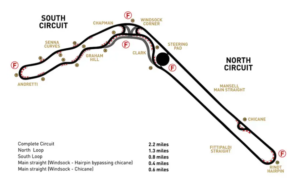
Join us for a netwalking event and make co.nnections whilst walking around the Lotus Track.
What better way to give your wellbeing a boost than by spending time outside in the fresh air, networking with fellow under 35s at the Lotus Track, whilst also getting those important steps in!
Address: Lotus Cars, Potash Lane, Hethel, NR14 8EZ. Please report to security where you will then be directed to park.
The Cafe shall be closed so no refreshments provided please bring a bottle of water with you for the walk.
Who’s it for?
Those 35 and under who live and work in Norfolk and anyone who wants to connect and engage with other like-minded individuals in the Norfolk area.
The course is designed for users new to Excel. It will provide trainees with the confidence, knowledge and practical experience to use Excel, to create and manipulate spreadsheets and produce printed reports. Delegates should have sufficient Windows experience beforehand. No equipment is necessary for you to bring to the course. Pens and note paper will be available. Lunch provided: For full day training courses a sandwich lunch with crisps and cakes will be provided. Refreshments will be available throughout the duration of this course. Course Content: The Excel Screen Ribbons, Quick Access Toolbar, Formula Bar, and Status Bar Workbooks and Sheet Tabs Data Entry Types of Data Data Entry Techniques In Cell Editing Selecting Cut/Copy/Paste Drag & Drop Using AutoFill to fill Adjacent Cells and Extend Series Custom Lists Formulae and Functions Simple formulas & Functions Relative and Absolute References Named Ranges AutoSum AutoFill Paste Function Average, Max, Min & Count Functions Multiple Panes Freeze and Unfreeze Formatting a Worksheet Using Borders and Shading to improve presentation Font & Number Formatting, Alignment Printing Print Preview & Setup Headers & Footers Print Row/Column headings File Management Saving, Closing and opening files New Workbooks Good Working Practice Creating a Chart Creating Charts An explanation of different versions Course costs – £77.00 – £99.00pp For more details or any enquiries, please contact us on 01603 788950, or email [email protected]
Norfolk is full of talented business men and women and we’re delighted to have some of them giving up their time to provide free mentoring sessions for young professionals (under 35s) across Norfolk.
Date: Monday 3rd July 2023
Time: Hourly slots available between 10am-13pm
Virtual Call – Video Link shall be emailed beforehand.
Topic’s
Identifying Goals : Leadership : Breaking Old Habits : Communication Skills : Motivational Skills : Work Life Balance : Deciding what’s the best way forward!
About Julie
After gaining a Certificate in Sales & Marketing Management, Julie spent over 25 years working with a diverse range of business, helping them to develop and grow. This gave her an excellent understanding of the problems business face and the problems individuals struggle with. Business and people have changed greatly over that time.
Julie then went on to do a Diploma in Counselling. Julie is fascinated by people! When good communication and behaviour is a way of life, and used in business, barriers come down, stress is reduced, sickness and absence is reduced. Its a win, win for everyone. When people thrive, businesses thrive! Her mission is to help people and businesses achieve this.
This course develops many of the features of Microsoft Excel. We will look at the most useful elements, including formulas and functions, using Excel as a database and sharing text and data with other applications. Everything will be explained in straightforward terms. It is also an opportunity to iron out any bad habits that you may have picked up.
No equipment is necessary for you to bring to the course. Pens and note paper will be available.
Lunch provided: For full day training courses a sandwich lunch with crisps and cakes will be provided. Hot drinks and bottle water will be provided but please bring snacks with you at present.
Course Content:
Review
Brief review of general Excel principles:
Arithmetic formulas Looking at +, -, * & /
Brackets
BODMAS
Advanced AutoSum
Unusual ranges
Auto-Average/Max/Min/Count
AutoFill
Building Functions
Using the Paste Function dialog
Basic functions
Functions with one argument:
Statistical functions
Absolutes
When/how to use absolute references
Formulas and Functions between Sheets and Workbooks
Summarising data from multiple sheets
Linking workbooks
Advanced Functions
Functions with more than one argument e.g. the IF Function
Named Ranges
Naming ranges
Navigating using named ranges
Using named ranges in formulas
Natural language formulas
Excel as a Database
Sorting your data
Filtering a list
Useful database features
Good Working Practice
Copy and Paste
Using the Windows clipboard
Paste-Special
Linking to other files and applications.
Replacing formulas with data
The Drawing Tools
Auto shapes
Layers
Rotation
Alignment
Grouping
An explanation of different versions
Course costs: £77 – £99 per person
For more details or any enquiries, please contact us on [email protected]
The course is designed for users new to Excel. It will provide trainees with the confidence, knowledge and practical experience to use Excel, to create and manipulate spreadsheets and produce printed reports. Delegates should have sufficient Windows experience beforehand.
No equipment is necessary for you to bring to the course. Pens and note paper will be available.
Lunch provided: For full day training courses a sandwich lunch with crisps and cakes will be provided. Refreshments will be available throughout the duration of this course.
Course Content:
The Excel Screen
Ribbons, Quick Access Toolbar, Formula Bar, and Status Bar
Workbooks and Sheet Tabs
Data Entry
Types of Data
Data Entry Techniques
In Cell Editing
Selecting
Cut/Copy/Paste
Drag & Drop
Using AutoFill to fill Adjacent Cells and Extend Series
Custom Lists
Formulae and Functions
Simple formulas & Functions
Relative and Absolute References
Named Ranges
AutoSum
AutoFill
Paste Function
Average, Max, Min & Count Functions
Multiple Panes
Freeze and Unfreeze
Formatting a Worksheet
Using Borders and Shading to improve presentation
Font & Number Formatting, Alignment
Printing
Print Preview & Setup
Headers & Footers
Print Row/Column headings
File Management
Saving, Closing and opening files
New Workbooks
Good Working Practice
Creating a Chart
Creating Charts
An explanation of different versions
Course costs: £77 – £99pp
For more details or any enquiries, please contact us on 01603 788950, or email [email protected]
This workshop is for supervisors and managers who are new or experienced trainers. With businesses needing to change, the development of individuals within the company has to be a priority. This is needed to develop confidence and generate ideas for a more structured and participative way.
This course assists you to develop the techniques to deal with all your staff, who have different learning styles, and make training fun and diverse.
Equipment: No equipment is necessary for you to bring to the course. Pens and note paper will be available.
Lunch provided: On full day training courses a sandwich lunch with crisps, cakes and fruit will be provided. Refreshments will be available throughout the duration of this course.
Course Content
Art of being able to communicate
The importance of preparation
The role of the trainer
Analysis of your own level and skills
Understanding learning styles and your own
The use of a variety of equipment and their value
Understanding coaching
Understanding group sessions
Opportunities for your own requirements to be added to the objective of the day
Best practices in techniques
To adopt a more consistent training method within the organisation
To understand reasons for administration
Course feedback: “A very enjoyable day and I feel I’ve gained lots by coming on this course.”
Free informal networking, what more could you want as a business in West or North Norfolk?
Whether established or growing from scratch, we invite all businesses based in West Norfolk, North Norfolk and as far East as Fakenham to join us for an evening of what we do best, networking!
Hosted at Whatahoot the event opens at 6pm, with a short welcome at 6.15 pm.
Who is it for?
Business owners, managers, entrepreneurs, start-ups, young businesses and anyone who wants to connect and engage with other businesses in the Norfolk area.
Make sure you book your place now to make those all important connections local to you.
Norfolk is full of talented business men and women and we’re delighted to have some of them giving up their time to provide free mentoring sessions for young professionals (under 35s) across Norfolk.
Date: 11th September 2023
Time: Hourly slots available between 10am – 1pm
Virtual Call – Video Link shall be emailed beforehand.
Topics
Nick can provide advice, guidance, hints and tips on: Life Coaching.
-Goal Setting
-Time management & productivity
-Dealing with procrastination
-Work/Life Balance
-Personal Value Setting
About Nick
Nick has enjoyed a successful twenty-three-year business career, working in the global corporate arena. Throughout his career, he has held various senior operational leadership roles and has effectively led, developed, and coached high-performing individuals and teams.
With extensive business experience and a professional certification in coaching, Nick currently operates his own Life Coaching practice based in Norfolk.
“I derive my energy and passion from assisting individuals in gaining clarity, overcoming challenges, and equipping them with the necessary tools for a successful journey towards achieving desired life changes in their personal or professional lives.”
The annual “Good Growth for Cities” report from PwC delves into the key factors that matter most to people living in cities across the UK. In 2023, the report shows that jobs, skills, work/life balance, and economic well-being are the highest priorities. Norwich in particular stands out, ranking 7th out of 50 cities in PwC’s “Good Growth” index.
Join us on this webinar to hear directly from the experts behind the report with valuable insights on how these findings can influence decision-makers on a range of solutions. From urban air quality to access to well-paid jobs and improving skills to improving transportation to employment areas.
In this engaging session you can interact with experts from PwC and gain insights into what matters to your people, and what the future of “good growth” could look like for your business here in Norfolk.
The webinar will be hosted by Jack Weaver, Chief Operating Officer at Norfolk Chambers of Commerce, and Simon De Young, Market Senior Partner at PwC.
Location: Carrowbreck House, 7 Carrowbreck Road, Norwich, NR6 5FA The course is designed for users new to Excel. It will provide trainees with the confidence, knowledge and practical experience to use Excel, to create and manipulate spreadsheets and produce printed reports. Delegates should have sufficient Windows experience beforehand. Duration: One-day course (9:30am – 4:00pm approximately) Equipment: No equipment is necessary for you to bring to the course. Pens and note paper will be available. Lunch provided: For full day training courses a sandwich lunch with crisps and cakes will be provided. Refreshments will be available throughout the duration of this course. Course Content The Excel Screen Ribbons, Quick Access Toolbar, Formula Bar, and Status Bar Workbooks and Sheet Tabs Data Entry Types of Data Data Entry Techniques In Cell Editing Selecting Cut/Copy/Paste Drag & Drop Using AutoFill to fill Adjacent Cells and Extend Series, Custom Lists Formulae and Functions Simple formulas & Functions Relative and Absolute References Named Ranges AutoSum AutoFill Paste Function Average, Max, Min & Count Functions Multiple Panes Freeze and Unfreeze Formatting a Worksheet Using Borders and Shading to improve presentation Font & Number Formatting, Alignment Printing Print Preview & Setup Headers & Footers Print Row/Column headings File Management Saving, Closing and opening files New Workbooks Good Working Practice Creating a Chart Creating Charts An explanation of different versions Course Price: Prices range from £77.00 – £99.00 For more details or any enquiries, please contact us on 01603 788950, or email [email protected]